Let your ears lead.
Enjoy the samples and demos before you choose. A sound you connect with is a good place to start.
 SAXUMLABSFOR THE MUSIC IN YOU.
DAW, VST3 & Plugins Center
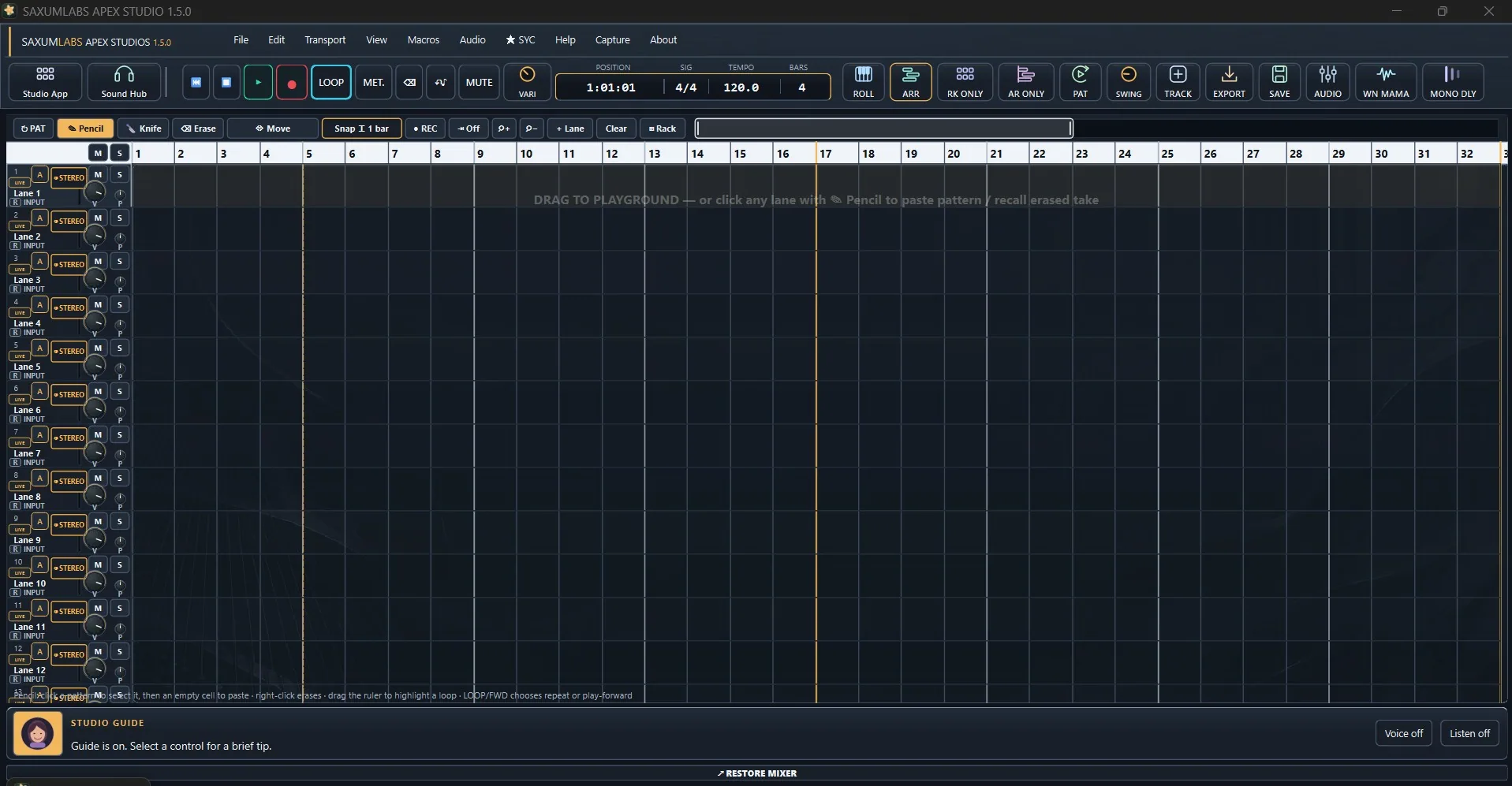
Autoplay changes pace and pauses while you hover or use the keyboard. Click the left half for the previous screenshot and the right half for the next. Arrow keys also browse; Space pauses or resumes. Reduced-motion users get a still preview.
You don’t need a perfect recording or a finished plan to begin. Bring the sound you have in mind. Listen to our mixes, see the tools at work and find a starting point that feels right for you.
New here? Take your time. You can explore without an account.
Explore the atmosphere around a vocal.

Listen at your own pace. Sound starts automatically where your browser allows.
A note on our samples: we deliberately started with lower-quality recordings and used our SaxumLabs VSTs to shape them into more polished, standard-quality mixes. Watch our YouTube demos to see the tools in action. These are finished creative examples; results depend on the recording and settings. Studio portraits are campaign artwork.
If you enjoy helping creators find useful tools, we’d love to hear from you. Approved affiliates earn 30% commission per eligible referred sale.
Apply below. We’ll confirm eligible products, referral tracking and payout terms with you before you start. Submitting this form does not activate an affiliate account.
Enjoy the samples and demos before you choose. A sound you connect with is a good place to start.
Each product shows its format and Windows requirements. Start with one tool, or explore the free collection.
Unsure about a plugin, a licence or your setup? Tell us what you use and we’ll help you find your way.
A few ways to find your feet and keep an idea moving.
Record, arrange and work with compatible VST3 tools in one Windows workspace. Watch the focused tour above to see how it feels.
Meet Choir Bloom and Harmony Backup Singer: separate Apex aPlugs for exploring backing layers around your lead.
Find practical starting points for vocals, mixing and getting comfortable in Apex. Questions and discoveries are welcome.
Visit SaxumLabs Blog ↗Browse by what you want to make. Open a product for its features, requirements and licence options.
Try “vocals”, “reverb” or “bass”, or explore all the tools.
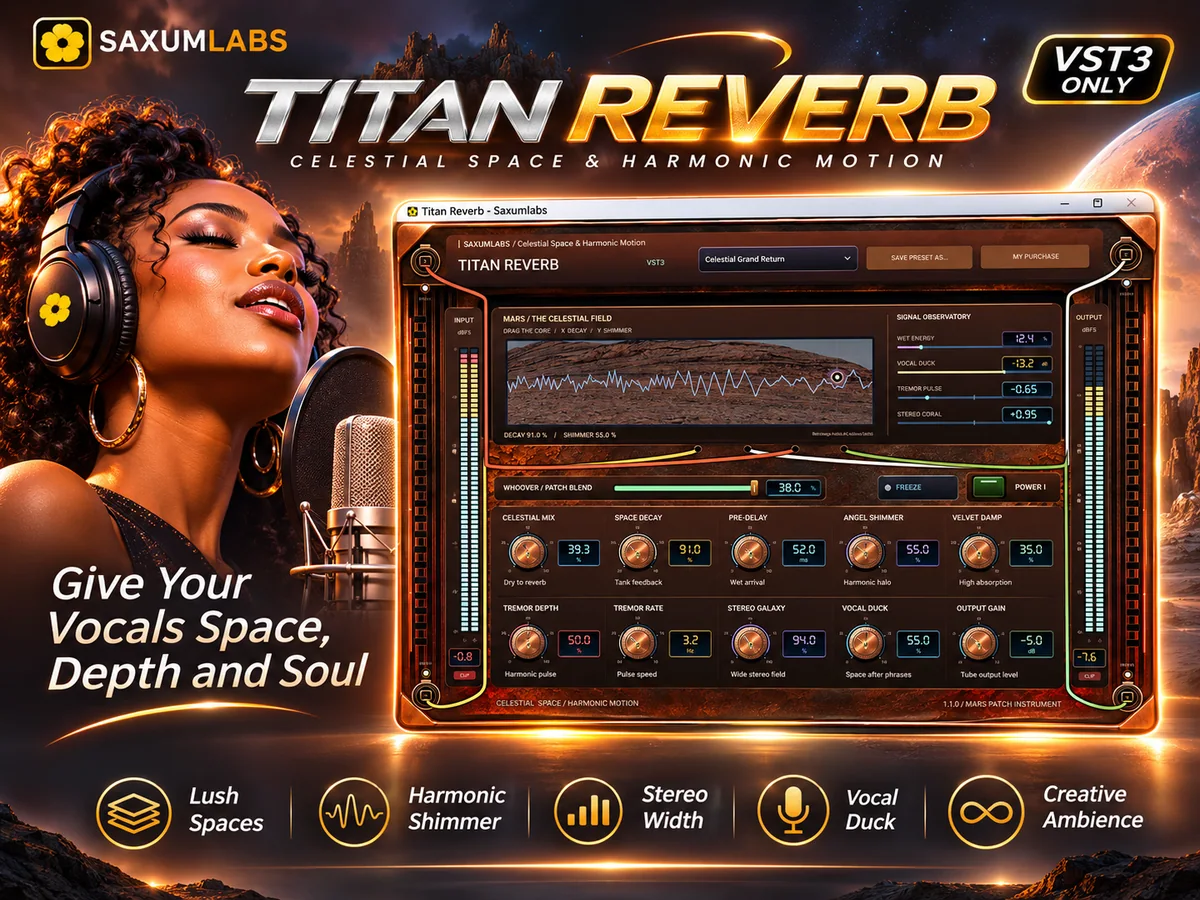
Explore space, shimmer and movement around your voice with Titan Reverb. Start gently, listen in the song and keep the character you love. The demo above is a good first listen.
A voice, a beat or a finishing touch.
There’s a place to begin.
Explore tools that work toward a similar idea. There’s no need to choose them all.
Practical ideas, sound experiments and a closer look inside the studio.
We’re warming up the blog. Expect useful tips, little discoveries, and a peek behind the sounds.
Creators, educators and studio friends are welcome. Approved affiliates earn 30% commission per eligible referred sale.
Music often begins with a rough take, a small melody or a question. You’re welcome here at any stage. Our aim is to make the next creative step easier to understand and enjoyable to explore.
SaxumLabs is an independent studio making instruments, effects and a creative workstation for Windows. Hear what we make, look closely at the tools and ask us anything you need to feel comfortable choosing.
Your pace. Your choices. Your music.Listen to Our sample and browse the video demos above. If you’d like a small first step, explore Free tools, including Crest Maximizer. You can save favourites without buying or creating an account. If you’re unsure which tool fits, tell us about your setup.
This collection is made for Windows PCs (x64). Android, macOS and Linux versions are not offered here. Our VST3 plugins require a compatible VST3 host or DAW. Apex Studio is a standalone application. aPlugs require Apex Studio 1.4.0 or newer; themes require Apex Studio 1.5.0 or newer. Check the format shown on each product.
When you’re ready, Buy opens that product’s Lemon Squeezy checkout. Select an available licence plan and confirm current pricing and taxes there. Follow the delivery and activation instructions supplied with your purchase. Licence terms vary between products.
Keep your picks in the studio bag and use each product’s Buy link, or choose Browse the full store to visit Lemon Squeezy. The bag is a saved list and is not transferred into a combined checkout. Crest Suite offers its included tools under one Suite licence.
Use the up and down arrows in See it. Hear it. to browse our five YouTube demos without leaving this page. Titan Reverb, Titan FM Multiband, Apex Studio, Emerald Circuit and Copper Tape also have demos in their product details. Press play when you’re ready; only one website player plays at a time.